Antivirus Software Ratings: Top Security Products Compared
Antivirus Software Ratings: Top Security Products Compared
Maybe you just watched a friend click through a fake "system cleanup" popup and now you are wondering if your own laptop is next. Or you are comparing Norton against Bitdefender before a subscription renewal and want a straight answer instead of a sales page. Antivirus software ratings exist for exactly this moment: a way to see how products actually perform once the marketing copy is stripped away.
How Antivirus Ratings Are Built
A rating that means anything rests on independent testing, not a vendor's own claims. Labs like AV-TEST and AV-Comparatives run each product against live malware samples, phishing sites and zero-day exploits under controlled conditions, then publish protection rates, false-positive counts and performance impact for every major suite.
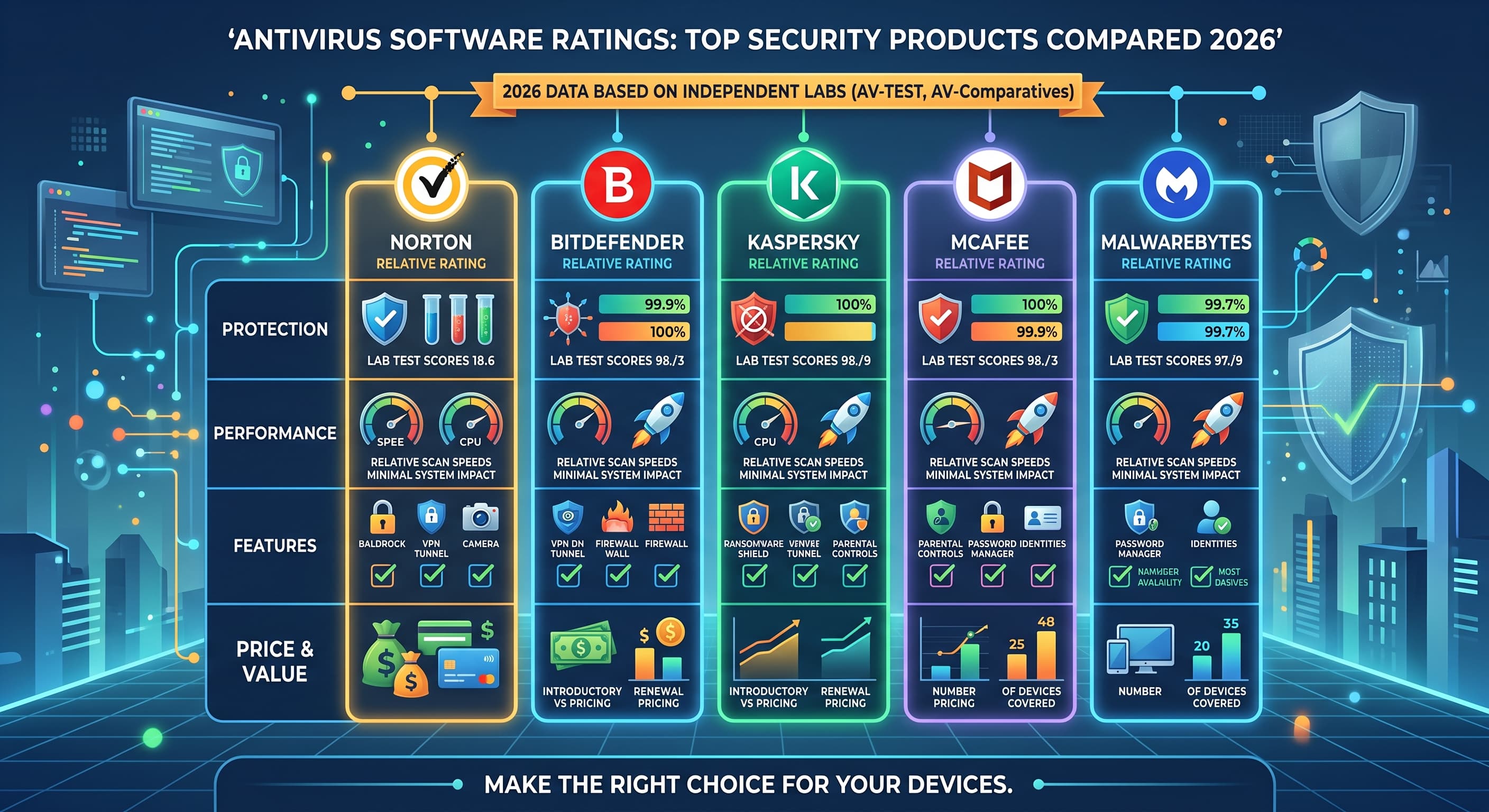
A useful antivirus software rating combines four things: how much malware the product actually catches, how much it slows your PC down during a scan, what features come in the box and what you pay for them. A tool that blocks nearly everything but drags your machine to a crawl during a scan is not a clear winner. Neither is a fast, light suite that lets threats through. The best antivirus software ratings weigh all four factors instead of leading with one flattering number.
Real-time protection and heuristic scanning matter here too. Real-time protection watches files and processes as they run and blocks threats before they execute. Heuristic and behavioral detection go a step further, flagging code that behaves like malware even if it has never been seen before. A product that only matches known virus signatures will miss new threats; one that leans too heavily on heuristics can flag legitimate software by mistake, which shows up as a false-positive rate in lab results.
Comparing the Top Products
Norton, Bitdefender, Kaspersky, McAfee and Malwarebytes each take a different approach, and no single one wins every category.
Norton and McAfee are broad consumer suites built for households with several devices. Both bundle a VPN, identity protection tools and parental controls, and both price around a similar band. The tradeoff shows up at renewal time: introductory pricing jumps once the first term ends, so check the renewal price before you commit, not just the first-year offer.
Bitdefender and Kaspersky tend to score well across AV-TEST and AV-Comparatives rounds while keeping a lighter system footprint than older-generation suites. Bitdefender's autopilot mode handles most decisions without prompts, which suits users who want protection running quietly in the background. Kaspersky offers deep configuration options for people who want more control over what gets scanned and when, though geopolitical restrictions have led some governments and organizations to limit or ban its use, which is worth factoring in if you are choosing for a business or government-adjacent role.
Malwarebytes takes a narrower approach. It started as a second-opinion scanner, the tool you run alongside another antivirus to catch what the first one missed, and its free version still works well that way. The paid version now includes real-time protection and can run as a standalone suite, though it carries a lighter feature set than Norton or Bitdefender in areas like parental controls or firewall management.
Free vs Paid: What Changes
A free antivirus typically covers core malware scanning and real-time protection, which is a genuine baseline against common threats. What you give up is the extra layer: ransomware rollback, a dedicated firewall, webcam protection, parental controls or a bundled VPN.
If your daily use is browsing and email on a personal device, a solid free option can be enough. If you handle online banking, run a small business, or manage a household with kids online, the paid tier's ransomware shield and parental controls tend to earn their price. There is no universal right answer here, only a match between what a plan covers and what you actually do on the device.
What to Check Before You Choose
Look past the headline protection rate and check three things: performance impact during a full scan, the false-positive rate, and platform coverage for every device in your household. A product with excellent Windows scores can perform very differently on Mac or Android, so check platform-specific results rather than assuming one number applies everywhere.
Also check what a subscription actually includes at your device count. Some plans license one device, others cover five or ten, and the per-device cost changes the value comparison considerably once you spread a household across phones, laptops and tablets.
Bottom Line
No antivirus blocks one hundred percent of threats, and any product claiming that should raise a flag rather than settle your decision. What independent ratings give you is a realistic comparison: protection rate, performance cost and feature set side by side, so you can match a product to how you actually use your devices instead of to whichever ad you saw last.
Title: Antivirus Software Ratings: Top Security Products Compared 2026 Description: Compare antivirus software ratings across Norton, Bitdefender, Kaspersky, McAfee and Malwarebytes, based on independent lab testing, performance impact and price. Keywords: antivirus software ratings, best antivirus 2026, Norton vs Bitdefender, Kaspersky review, McAfee review, Malwarebytes review, AV-TEST results, antivirus comparison