Best Antivirus Software in 2026
Maybe a pop-up won’t close, a friend’s laptop is running a fake "cleanup" tool it never asked for, or you are just deciding whether your new Mac needs anything at all. This page is a starting point for that decision, built around what independent labs actually measure rather than what a product page promises.
We score every antivirus on protection rate, performance impact, features and price, drawing on published results from AV-TEST and AV-Comparatives and our own time with each product. The methodology behind the score is public, so you can see exactly what moves the number.
Top Antivirus 2026
Full rating →| Rank | Antivirus | Score | Platforms | Price from | Badges | |
|---|---|---|---|---|---|---|
| 01 | Norton | 9.5 / 10 | Win · Mac · Android · iOS | $39.99/year ($3.33/month) | ReviewGet Norton | |
| 02 | Bitdefender | 9.4 / 10 | Win · Mac · Android · iOS | $24.99/year (first year) | ReviewGet Bitdefender | |
| 03 | McAfee | 9.2 / 10 | Win · Mac · Android · iOS | $39.99/year | Best for Families | ReviewGet McAfee |
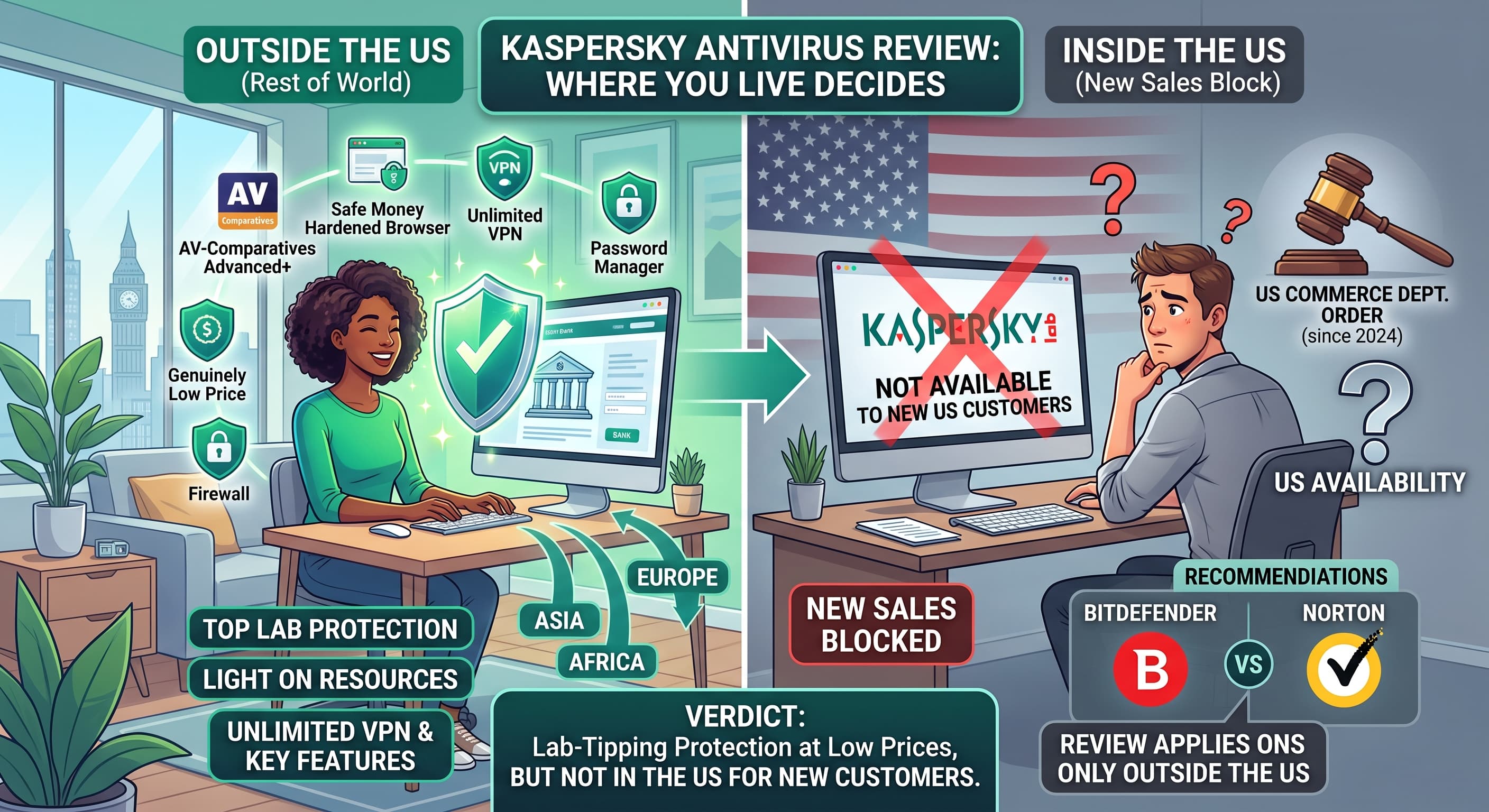
| 04 | Kaspersky | 9.2 / 10 | Win · Mac · Android · iOS | $21.99/year | ReviewGet Kaspersky | |
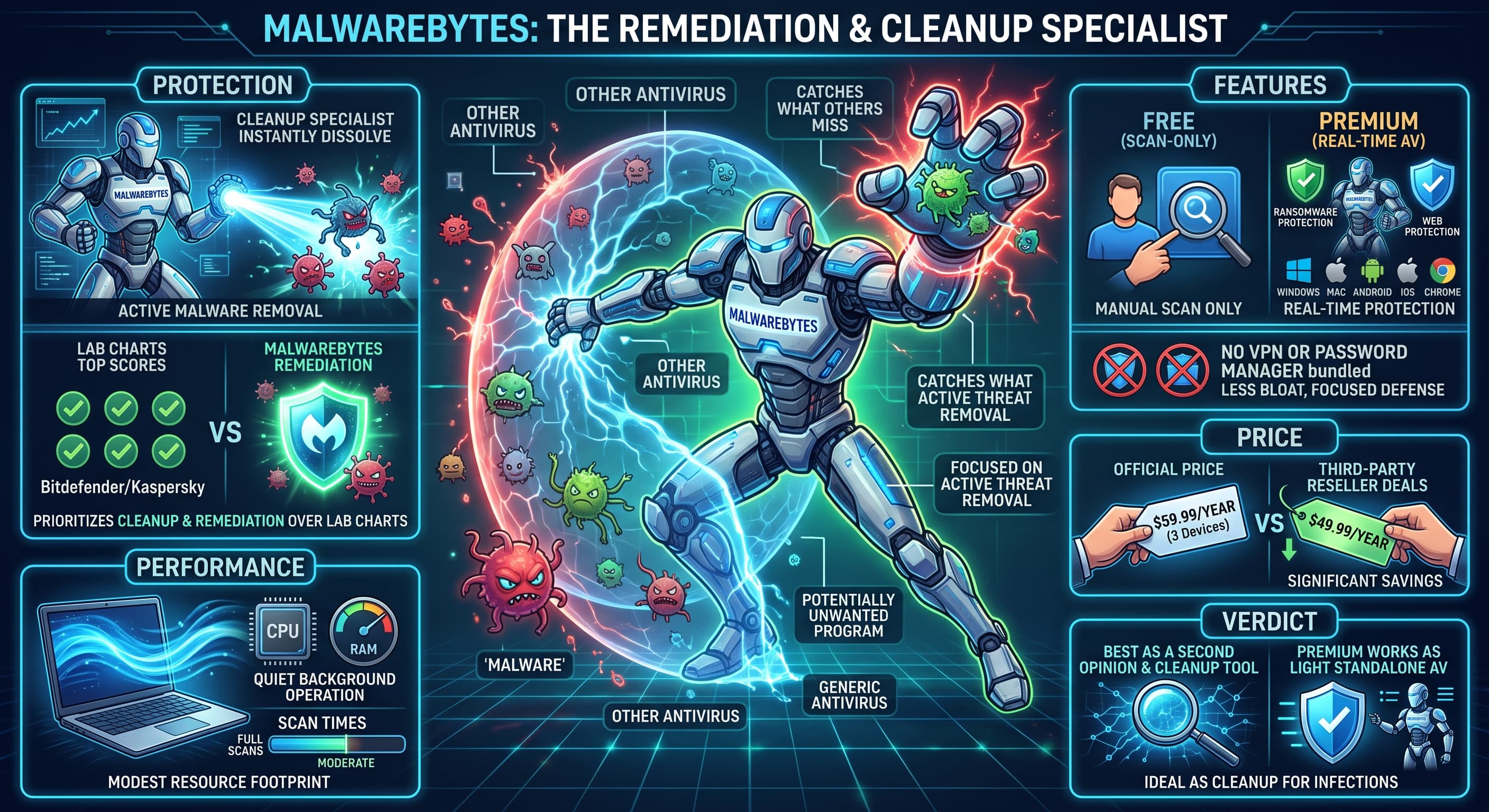
| 05 | Malwarebytes | 8.7 / 10 | Win · Mac · Android · iOS | $59.99/year | ReviewGet Malwarebytes |
Popular Comparisons
From the Blog
All articles →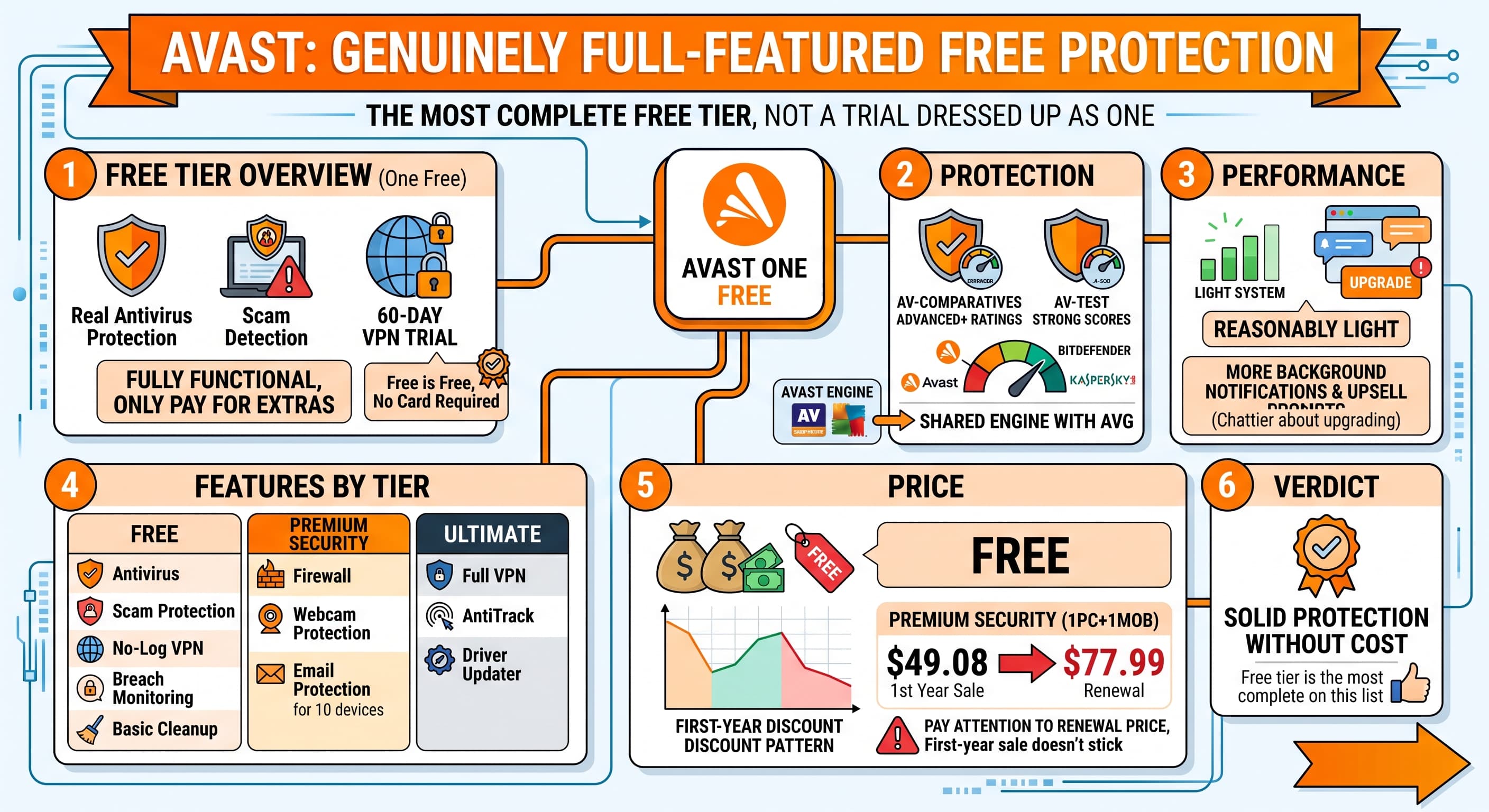
How to Choose the Right Antivirus for You
Picking an antivirus used to mean picking a big name and hoping for the best. That is no longer good enough advice, since the differences between a good and a mediocre suite show up in real detection numbers, boot-time slowdowns, and the price you pay to renew a year later. This section is here to help you translate the rating above into a decision that actually fits your setup, rather than repeating "just get the top one."
Match Protection to Your Actual Risk
A household that mostly browses, streams, and emails does not have the same exposure as someone who downloads software from smaller sites, runs a small business from a laptop, or manages a shared family computer with kids on it. If your risk is mostly phishing links and the occasional sketchy download, real-time protection and a solid phishing filter matter more than an advanced firewall you will never touch. If you handle sensitive files or run a business, look further down the feature list at ransomware rollback, VPN inclusion, and identity-monitoring tools.
Think About Performance, Not Just Score
Every product on this list clears a reasonable protection bar, or it would not be here. Where they actually diverge for most people is performance impact: how much a scan slows down a video call, how long a laptop takes to wake up, whether background scanning eats battery on the road. If you use an older machine or a lightweight laptop, weight the performance column more heavily than a single point of difference in protection score, since almost all our top picks catch the malware that matters.
Free vs. Paid Is a Real Decision, Not a Trap
A free plan from a name on this list is not a stripped-down trap, it is usually the same detection engine as the paid tier with fewer extras. The paid upgrade buys you a firewall, parental controls, a bundled VPN, or ransomware-specific protection, not better core scanning. If you only need baseline protection and already have a password manager and VPN elsewhere, a free plan can be a completely reasonable long-term choice, not just a trial.
Platforms Matter More Than People Expect
Windows still sees the most malware by volume, so protection quality matters most there. macOS malware exists and is growing, but the bigger practical risk on a Mac is often browser-based phishing rather than a traditional virus. Android benefits the most from a dedicated scanner if you install apps outside the Play Store; iPhone's sandboxing limits what any antivirus app can realistically do, so a security suite there is more about safe browsing and breach alerts than malware scanning. If you need one subscription across a mixed household, check the device count and platform list before comparing price per year.
Read the Renewal Price, Not Just the Offer
Almost every vendor on this page prices the first year lower than the renewal. That is not unique to any one company, it is standard across this industry, but it means the "price from" figure is a starting point, not what you will pay long-term. Check each review for the renewal price where we have it, and set a calendar reminder before your first term ends if switching or renegotiating matters to you.
If you want more targeted advice, jump into a specific scenario below rather than the general rating: a lightweight pick for an older laptop is a different answer than the best option for a small business with five employees, and the difference is bigger than most rankings admit.
Frequently Asked Questions
Do I still need antivirus software in 2026?
Windows and macOS both ship with baseline protection, but a dedicated antivirus adds layered scanning, a ransomware shield and phishing filters that catch threats built-in tools miss. Whether you need one depends on how you use your device and what you have to lose if something gets through.
Does antivirus software slow down my PC?
Modern suites are lighter than the versions from a decade ago, but real-time scanning still uses some CPU and memory. The impact varies by product and by what your machine is doing, so check independent performance benchmarks rather than a vendor's own claims.
Is free antivirus enough for home use?
A free plan usually covers core malware scanning, which is a real baseline. Paid tiers add ransomware rollback, a firewall, parental controls or a bundled VPN. If you only browse and email, free may cover you. If you bank or shop online often, the paid features earn their price.
Do Mac and Android need antivirus too?
Mac malware is less common than on Windows but not gone, and iOS's sandboxing limits what any app, antivirus included, can do. Android apps installed outside the Play Store carry more risk, so a scanner there is worth more than on iPhone.
What is the difference between real-time protection and a manual scan?
Real-time protection watches files and processes as they run and blocks threats before they execute. A manual or scheduled scan checks what is already on your disk. You want both: real-time protection stops new infections, scans catch anything that slipped through earlier.
Can antivirus software stop ransomware completely?
A ransomware shield blocks known encryption behavior and can roll back a handful of affected files, but no product guarantees full recovery once an attack starts. Regular offline backups remain the most reliable way to protect files that ransomware can reach.